 PetCare
MEDICATION REMINDERS · ANDROID
A clear plan for every prescribed dose.
Make the next step clear: which pet, which medicine and when. Keep the instructions from your vet beside the rest of your pet’s care.
Organize medication reminders — Get PetCareFree · No account · Works offline
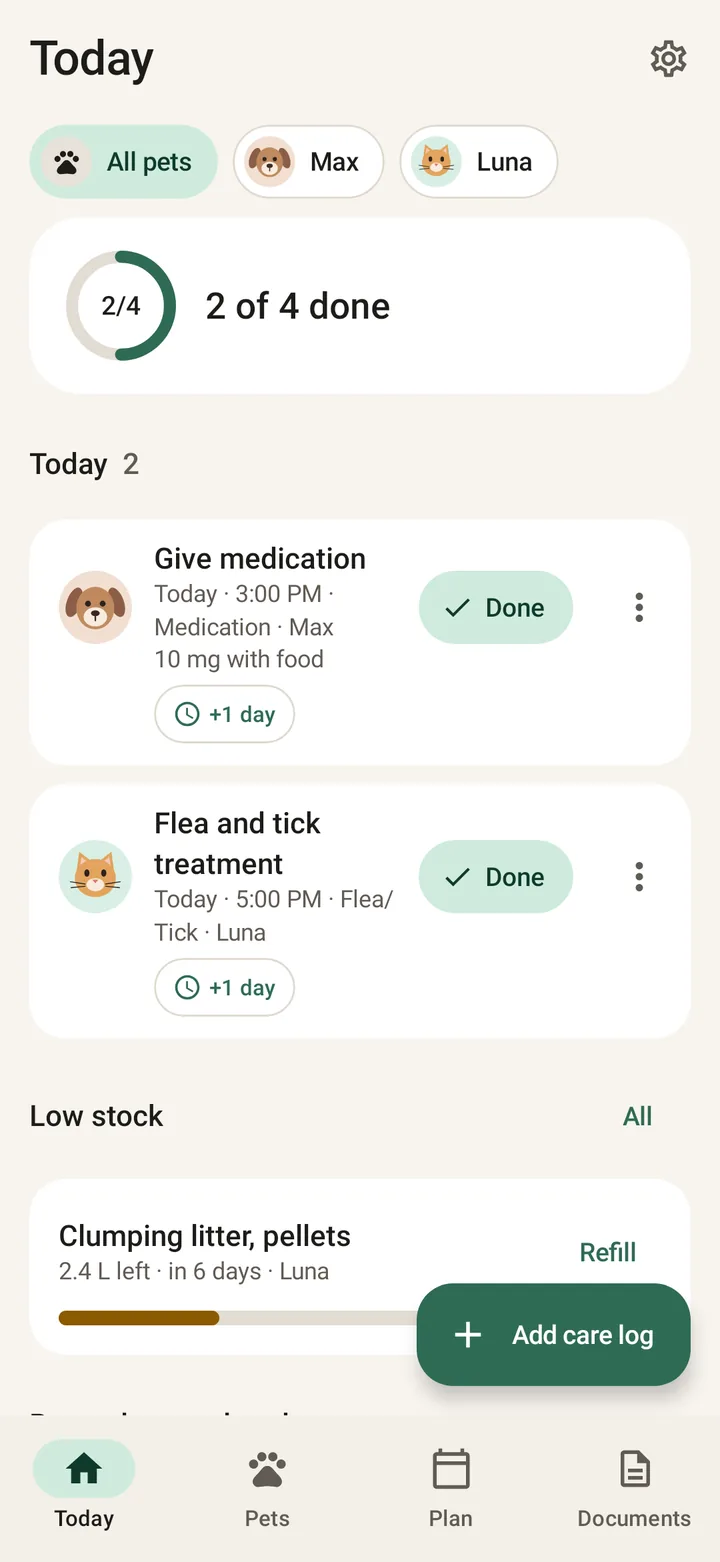
Copy the prescription, then set the reminder
Choose the pet and medication reminder type. Use the name, timing and instructions from the prescription; confirm anything unclear with your clinic. PetCare does not calculate a dose or prescribe treatment.
Give the medicine, then mark it done
Today brings due and overdue care into one view. Mark a task complete after giving the medicine, including from the notification. Completion records what you marked, not independent proof that a dose was administered.
Organize medication reminders — Get PetCareCheck history before the next handoff
Review completed reminders on this phone before repeating a task. If someone else helps, agree how to communicate each dose: records do not sync to their phone. Add a separate refill reminder before supplies run low.
Your quick checklist
- Confirm the medicine, dose and timing with your vet
- Mark completion only after administration
- Ask the clinic what to do about a missed dose
Frequently asked questions
Can reminders repeat?
Yes. PetCare supports daily, weekly, monthly, yearly and custom intervals. Set timing to match the prescribing veterinarian’s instructions.
What should I do if I miss a dose?
Ask your veterinarian or dispensing pharmacy for medicine-specific instructions. PetCare cannot decide whether to skip, delay or repeat a dose.
Do reminders work offline?
Yes. Core reminders run on the phone. Allow notifications and check Android reminder and battery settings; no app can guarantee every alert will be seen.
Keep your pet’s care together
Organize medication reminders — Get PetCarePetCare is an organizer, not veterinary advice.