How to build a pet medication reminder routine
A reliable medication routine is less about remembering everything and more about keeping the right details easy to see at the right moment.
Start with the prescription, not a guess
Write down the medicine name, the amount, the route, the exact timing and the prescribing clinic. Add the date it began and any instruction you need to repeat, such as whether to give it with food. If something is unclear, confirm it with your veterinarian before adding it to a routine.
Make each reminder actionable
- Name the reminder so a caregiver can understand it quickly.
- Include the dose and time prescribed for this pet.
- Add a refill reminder early enough to contact the clinic or pharmacy.
- Keep a brief note of completed doses and any observations.
Plan for handoffs
If another person helps with care, share only the current, verified information: the routine, where supplies are stored, the clinic contact, and what to do if a dose is missed. Ask the prescribing veterinarian for guidance on missed doses or concerning symptoms.
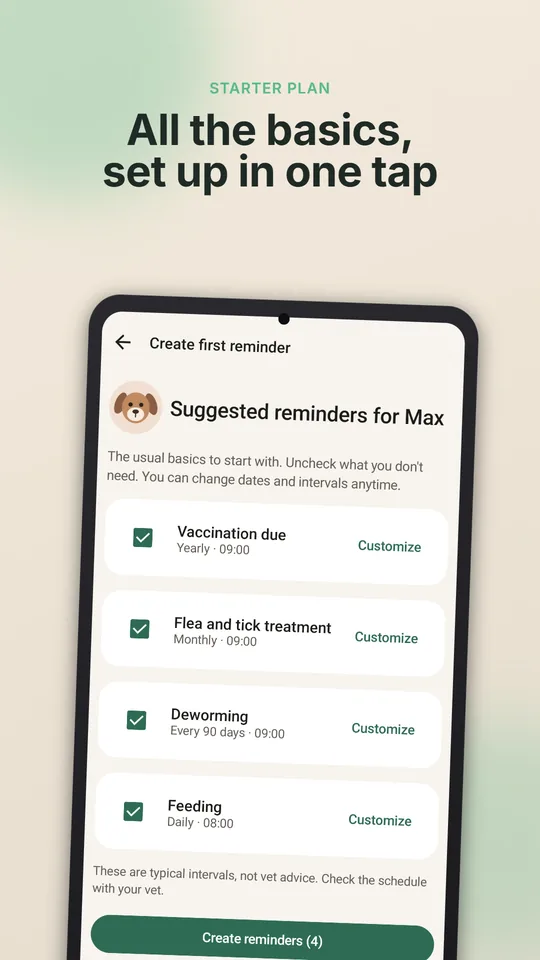
Use PetCare Offline on Android to keep reminders, notes and supply information in one local organizer.
Making medication time easier
- Tablets: ask your vet whether the tablet can be given with food. If so, a small piece of soft food or a pill pocket often works; give a plain treat first and after so the pill-treat is not suspicious.
- Do not crush or split tablets unless your vet or pharmacist says it is safe — some are coated or slow-release.
- Liquids: use the syringe that came with the medicine and give slowly into the side of the mouth, not straight down the throat.
- Cats: many cats accept pills better if you practise gentle handling and treats on days without medicine.
If a dose is missed or doubled
Do not guess. Check the label, then call your vet or pharmacy and say what was given and when. For some medicines, a missed dose is simply skipped; for others, timing matters, and giving an extra dose can be harmful. Log what happened and what you were told, so the next person caring for your pet knows too.
Keep all medication out of reach of pets and children, and never give human medicines unless your vet prescribes them.
The five fields that keep a reminder safe
Record the animal, medication name, strength, dose, and exact timing from the label or veterinary instruction. Add the reason for the prescription, the start and end dates, storage notes, and what to do after a missed dose only when a professional has supplied that instruction.
Mark each administration as completed instead of relying on a generic recurring alarm. For side effects, accidental double doses, refusal, or uncertainty, contact the clinic or an emergency service; a reminder app should preserve instructions, not invent them.
Keep the current instruction separate from older notes so a caregiver cannot confuse a previous course with the active one. A clear completion mark also helps at the next appointment: you can show what was given, what was missed, and which observation needs professional interpretation.
Use the reminder to make the next action visible, not to calculate a dose. Store questions for the clinic beside the record and review the active course whenever a prescription changes. This keeps a helpful log from becoming a second, unofficial medical instruction.
How this article was created
This content was generated with artificial intelligence. The independent developer is responsible for publication and accepts correction reports. Verify health, safety, legal, financial and official requirements with a primary source or qualified professional.
Questions and corrections: brightwaveapp@gmail.com. Legal and privacy information.