 PetCare
HEALTH RECORDS & PDF · ANDROID
Bring a useful health history to the vet.
“Something changed last week” is hard to explain at an appointment. Dated observations and documents give you a clearer starting point.
Start your pet’s health record — Get PetCareFree · No account · Works offline
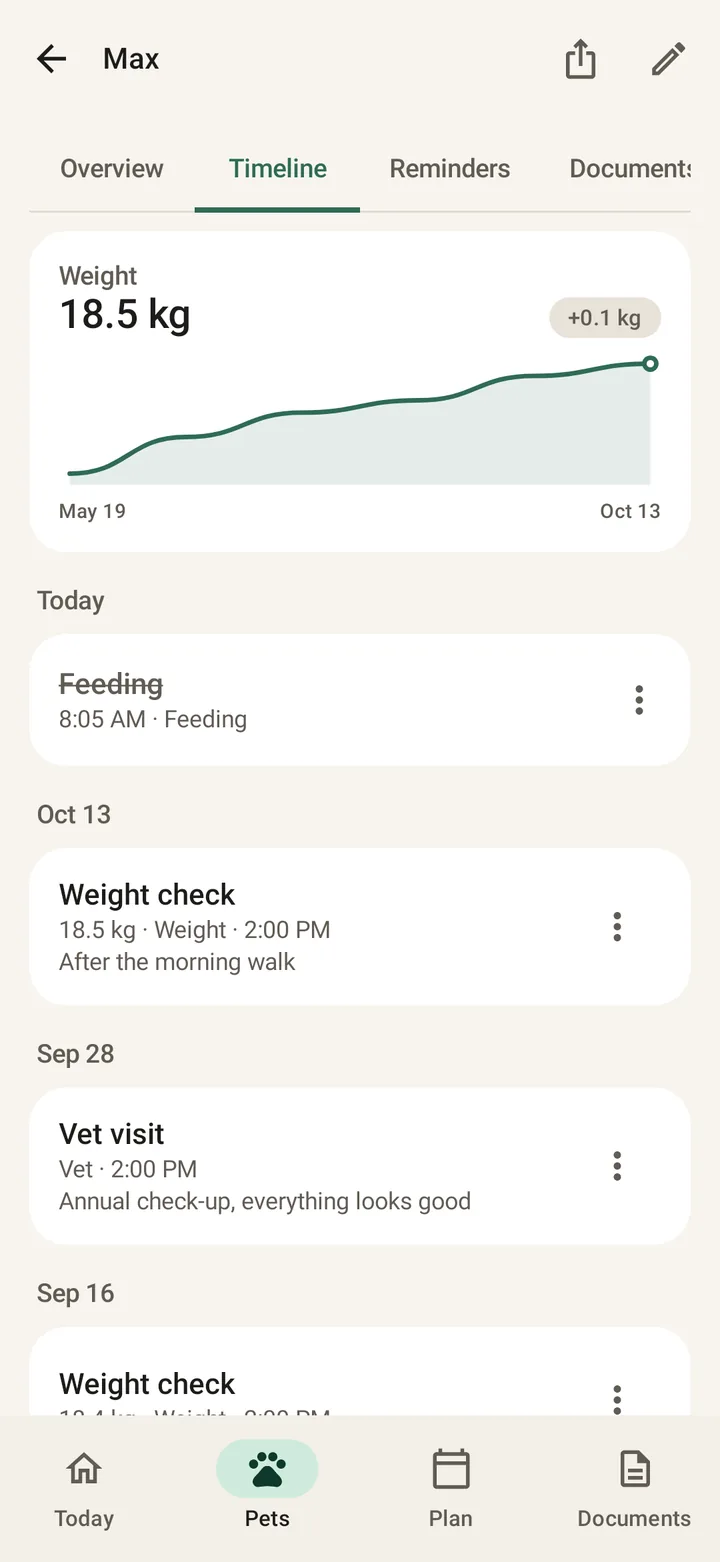
Record the change while it is fresh
Add a weight measurement, symptom or vet-visit note to the right pet’s log. Write what you observed and when, rather than guessing a diagnosis. Keep units and weighing conditions consistent when comparing measurements.
Keep the paperwork next to the history
Store prescriptions, lab results and vaccination records in the pet’s documents. Before an appointment, check that files are readable and the profile’s allergies, microchip and contact information are current.
Start your pet’s health record — Get PetCarePrepare a PDF for the person who needs it
Open Export for Vet/Sitter from the pet profile. Choose the vet or sitter layout, preview the sections and share the PDF yourself. A shared PDF is a snapshot; new entries do not automatically update someone else’s copy.
Your quick checklist
- Log dates, observations and measurement units
- Keep original clinic documents
- Preview the PDF and share only the sections needed
Frequently asked questions
Does PetCare diagnose symptoms?
No. The health log is for organizing observations. Ask a veterinarian about symptoms, unexplained changes or treatment decisions.
Can I export a summary for a pet sitter?
Yes. Choose the sitter layout, preview the content and share the PDF through an app on your phone.
Where are my records stored?
On this device, without a cloud account or automatic sharing between phones. Keep a manual ZIP backup somewhere safe if you need a recovery copy.
Keep your pet’s care together
Start your pet’s health record — Get PetCarePetCare is an organizer, not veterinary advice.