What to keep in a pet vaccination record
A well-organized record can make routine appointments, boarding, travel and an unexpected visit less stressful.
Keep the source details together
For each entry, save the vaccination name, date given, veterinarian or clinic, and any document supplied by the clinic. Include the next due date only when it is provided by the veterinarian or the record itself.
Your practical record checklist
- Vaccination cards and certificates
- Microchip number and registration details
- Prescriptions, lab results and insurance documents
- A list of current medicines and important care notes
- Clinic contact details and the last appointment date
Use a format you can find quickly
Store scanned files or photos with a clear name, then keep a short index of what each document is. A local pet organizer can keep documents alongside reminders and care logs, while a PDF summary is useful when you need a concise handoff.
PetCare Offline for Android helps keep pet documents, care notes and reminders close together.
What different places usually ask to see
The same record is read differently depending on who asks. It helps to know in advance which details each situation tends to focus on — and then to confirm the exact requirements with them:
- A new veterinarian wants the full history: vaccine names, dates, reactions, and the previous clinic's contact so they can request records.
- Boarding kennels, catteries and daycare usually check that core vaccinations are current and may ask for specific ones, sometimes given a minimum number of days before the stay.
- Groomers and training classes often ask for proof of current vaccinations before the first appointment.
- International travel can involve rabies vaccination timing, microchip number matching the certificate, and official health certificates with strict deadlines.
Turn the record into reminders
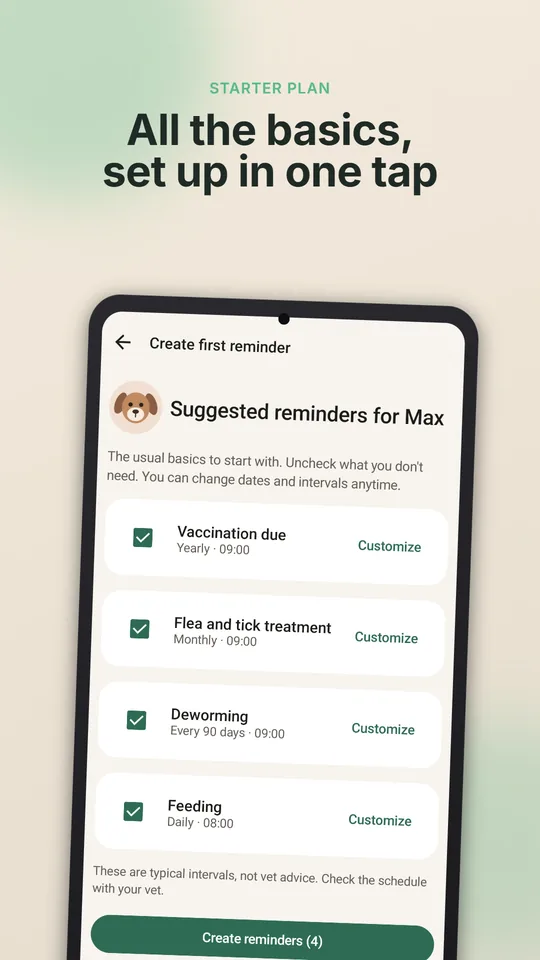
A record is most useful when it also tells you what is coming. When you add a vaccination, add the next due date the vet gave you as a reminder, a couple of weeks early so there is time to book. If your pet had a reaction after a vaccine, note the date, the symptoms and what the vet advised — that note is exactly what the clinic will want next time.
In PetCare Offline you can keep the certificate as a document, the dates in the pet's history, and the next due date as a reminder, all on your phone.
Make the record travel-ready
Use one consistent entry for the animal, vaccine name, manufacturer or lot when supplied, date given, clinic, and next due date. Keep the original certificate or clinic document with the summary so a boarding facility, travel authority, or new veterinarian can verify the detail.
Check requirements before travel because destinations and rules change. PetCare can keep the reminder and record visible, but the clinic and official authority remain the source for what is required.
A dated photo or scan of the certificate can be useful as a backup, but it should not replace the original document when an authority asks for proof. Use consistent file names and keep the latest confirmed record easy to find without deleting the history that explains a change.
After each appointment, update the record while the certificate is in front of you. Add the clinic contact and any follow-up date, then check that the animal name and identification match across documents. Small consistency checks prevent avoidable delays later.
When a clinic corrects a date or document, keep the correction visible rather than silently overwriting history. That makes the record easier to explain and reduces the chance that an old certificate is mistaken for the current one.
How this article was created
This content was generated with artificial intelligence. The independent developer is responsible for publication and accepts correction reports. Verify health, safety, legal, financial and official requirements with a primary source or qualified professional.
Questions and corrections: brightwaveapp@gmail.com. Legal and privacy information.